Page Refresh to Improve Engagement and Prioritize Content
Redesigning an interactive webpage to increase engagement, boost SEO, and prioritize useful content.
Sector: Federal
Challenge: Our team was tasked with refreshing this interactive tool to improve the user experience. Based on our analytics evaluation, there were areas we could adjust to increase user engagement, improve SEO, and funnel users to the most relevant content.
My Role: Content Strategy, Design Prototyping, Facilitation Lead, SEO Integration
Stakeholder Goals and Scope Discussion
Our team presented the idea for a page refresh based on our analytics evaluation of user engagement. Based on data sources from heat maps and click through rates, we determined where sticking points for user engagement were on the page. We also presented issues that we could address on the page to help with Search Engine Optimization.
The Stakeholders were aligned with our idea to restructure the page and clarified what was the most important content for users to engage.
Solutions
For UX/CS best practices, we proposed:
- Changing graphics to avoid confusing about buttons where there were high click rates with no link.
- Shortening the scroll to avoid losing engagement as users progressed through the page.
- Moving priority content higher on the page to promote engagement.
- Rewriting and restructuring content to better represent stakeholder goals for users.
- Creating HTML pages for PDF resources that needed to be frequently updated.
For SEO improvements, we proposed:
- Getting rid of images that were not relevant to the content.
- Changing the H tags on the page to better align with high ranked keywords
- Integrating keywords into the body content.
Results
Our team was able to efficiently implement the recommendations above to help improve the usability of this interactive page tool.
NRT Tool
Restructuring the page allowed us to make improvements to help with usability, SEO, content prioritization, and user engagement. In just one month, there was a 20.5% increase in the scroll through rate (people viewing 90% or more of the page) and a 6% increase in page views.
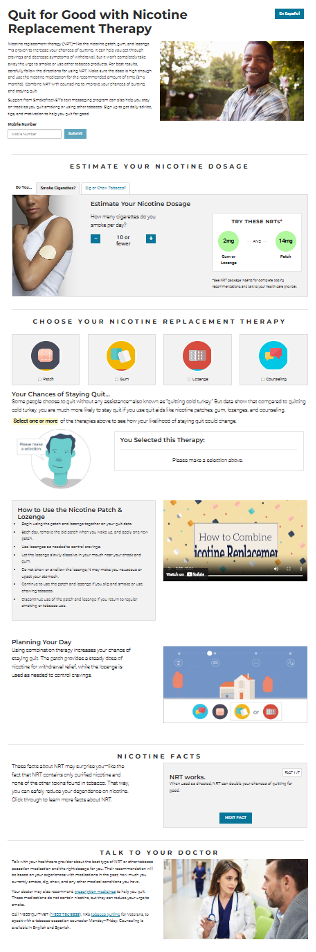
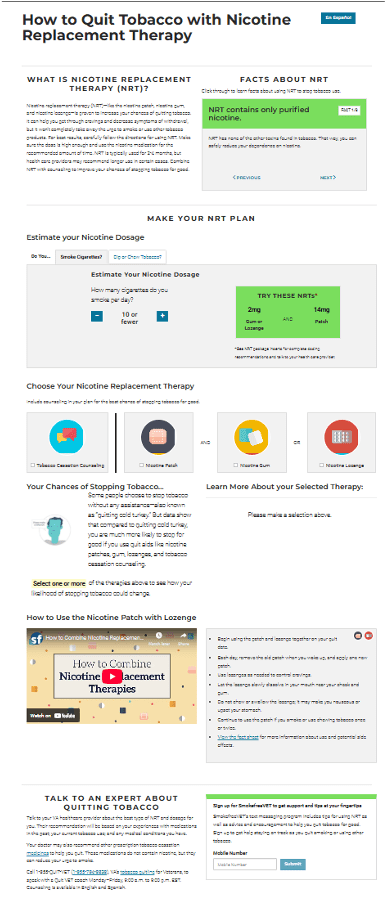
Before: The interactive tool had a long scroll that led user engagement stoping before reaching the bottom of the page that contained the high priority content. Some of the image and sections did not align with stakeholder goals for the user. The NRT dosage graphics had high click rates but did not lead anywhere. Titles and section headings were also underutilized or not relevant to the content.
After: We shortened the scroll and moved priority content to the top of the page. Headings and content were revised and restructured for keyword optimization to better fit the desired user flow. We retained visual elements through the use of color and components to replace the images. The NRT dosage graphics were redesigned to avoid clicks.
PDF to HTML Pages
We converted a collection of PDF Fact sheets to HTML pages because these were not static resources.
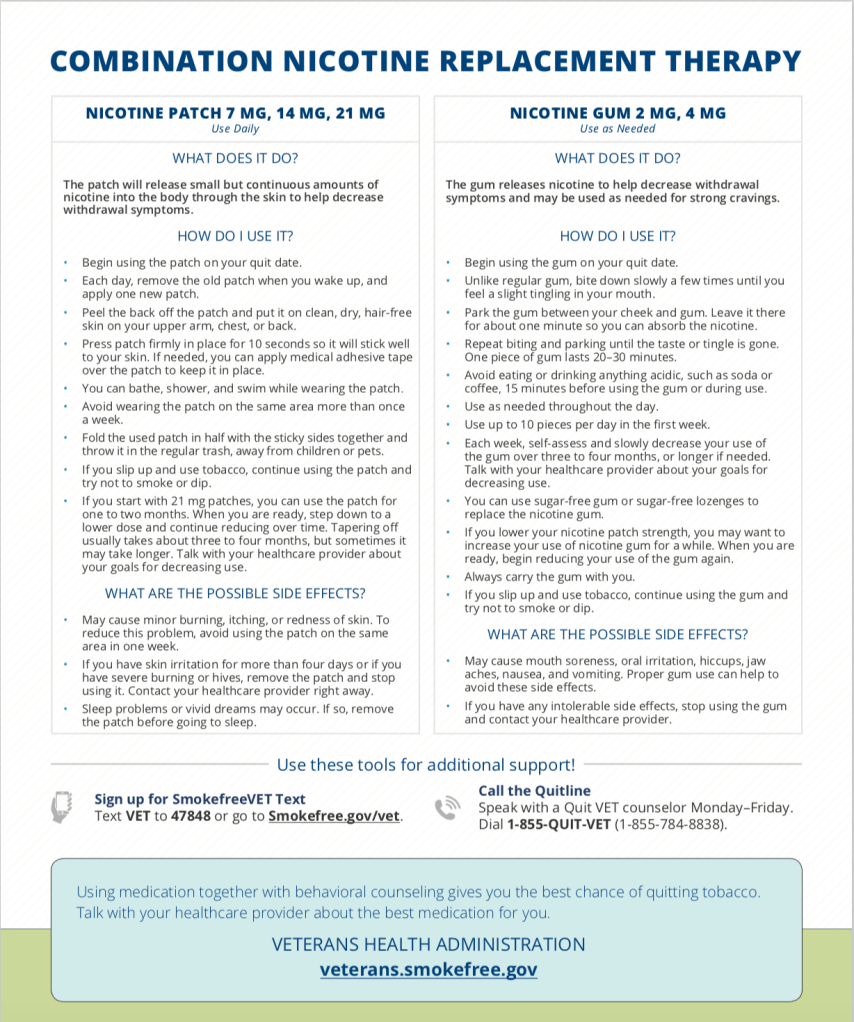
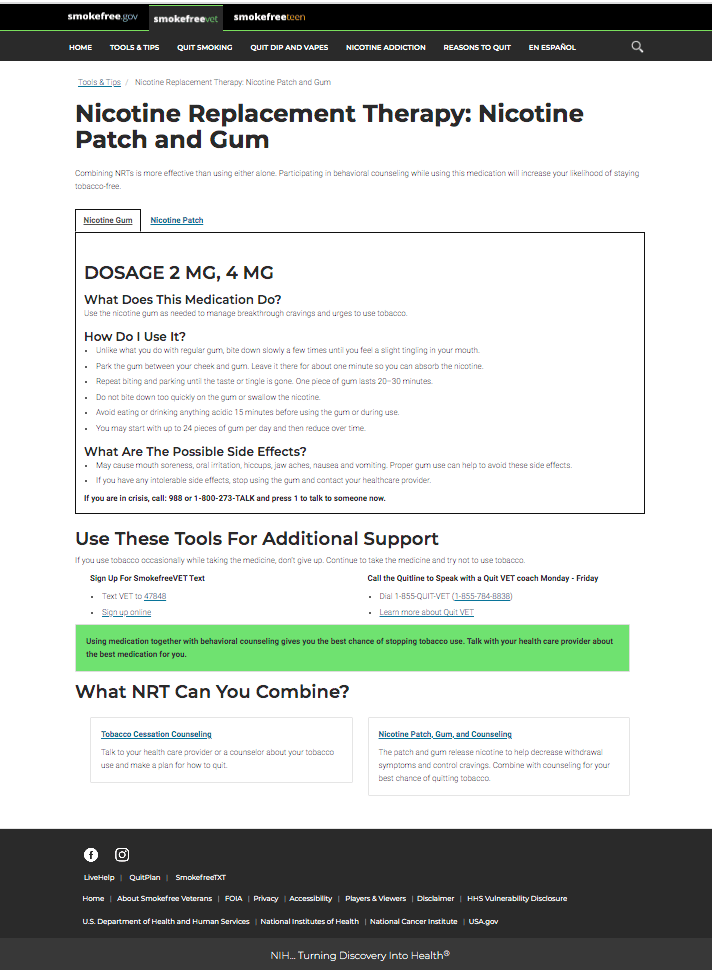
Before: The fact sheet was a static pdf users had to download. People could not click on the relevant resource links. They were out of date and require more frequent updates.
After: Converting the PDFs to HTML pages helps to reduce the technical debt, improve SEO, and allow user to click on links to resources. We also included a way to easily navigate to other NRT pages to keep users engage within our website.